Lead Notifications not received
HOW CURRENT SYSTEM WORKS: We first deliver a PN or Push Notification(Notification that is sent on app) . Please note that 95% of PNs are always delivered and 90% of these are delivered under 10 secs. If the PN(App notification) is not received by the pro or the pro has not seen the job, then a IVR is triggered as the second step. If the pro has not picked up the IVR as well, then Partner is at fault.
STEPS TO check what went wrong: The following are the steps we should follow while debugging such cases:
Sample Request ID : LINK
Sample Pro ID : LINK
STEP 1: Get pro id and request id for which the case is being raised (without these two data points no debugging can be done). If a pro cannot give a request id, then it is likely due to the pro feeling that they are “not getting enough leads” and hence raising this. For such cases, pro has an option in Help centre , not getting leads diagnostic tool in the partner app(Under Profile) which can check if this is a skill tag issue/ demand issue/ others.
STEP 2: Note the fanout time of this lead to the pro - this can be accessed in this link - https://ops.urbanclap.com/requests/663b0cc88b55122a1bacd025/provider_actions
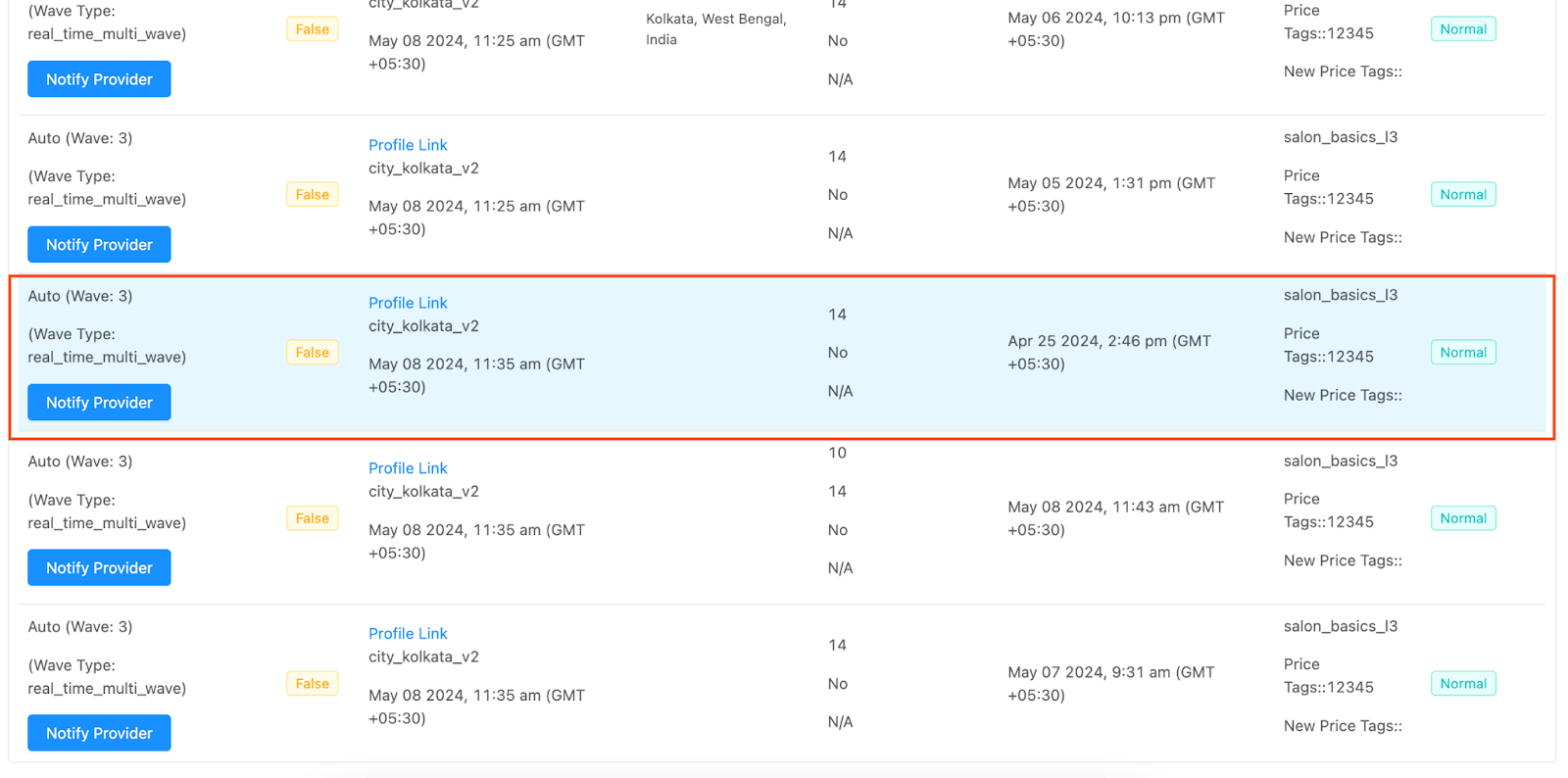
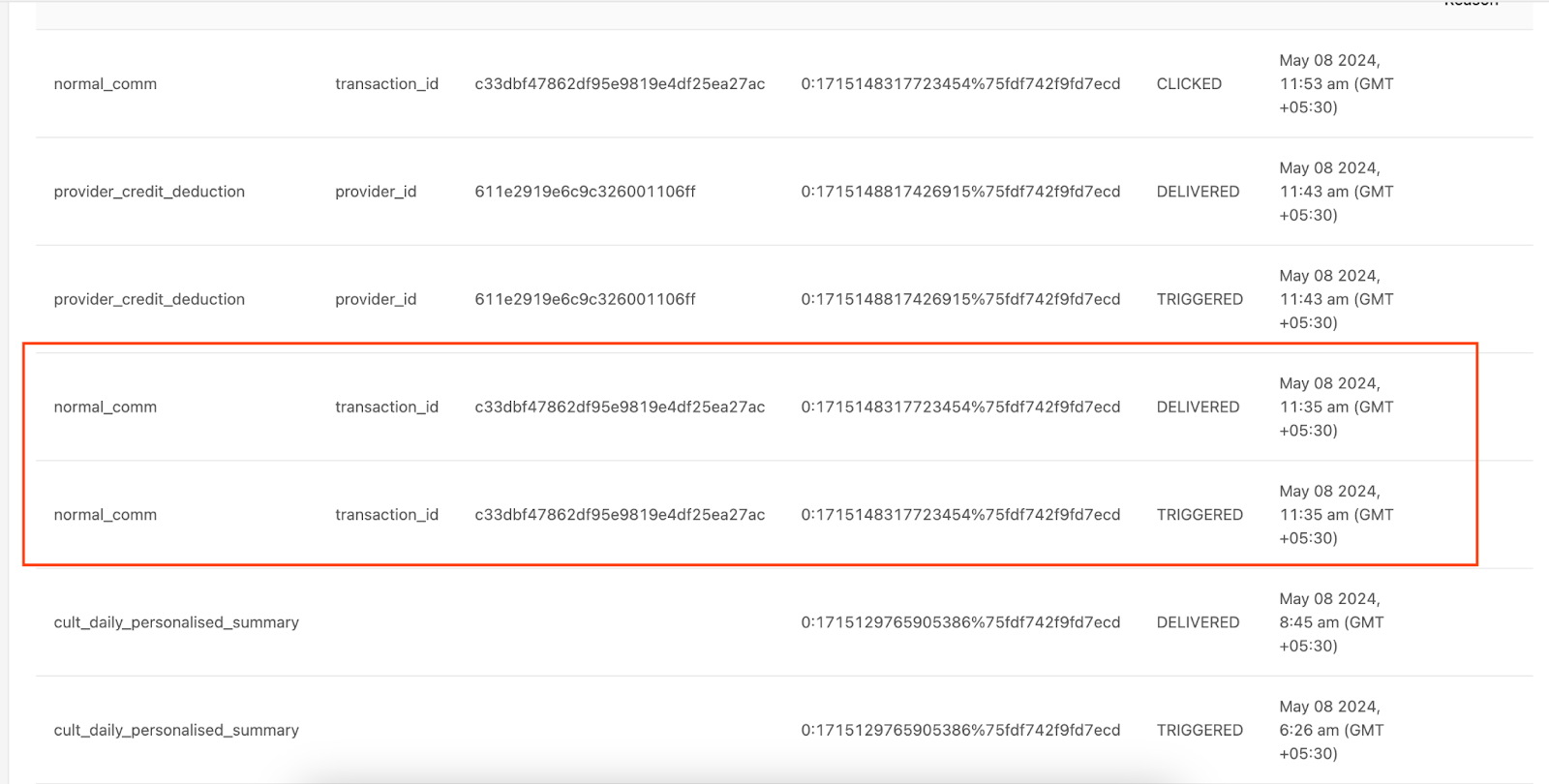
STEP 3: Check in comms logs notifications triggered to pro at that time for the lead (exlusive_lead_comm, normal_comm are the usual MM campaigns). If the notifications delivered at that time are in DELIVERED(Notification was delivered in partner app or CLICKED(notification sent and partner has clicked on notification) state. We need to inform pro that everything has worked fine and they were able to see and accept the lead.
Link to access notification logs - https://ops.urbanclap.com/provider/profile/611e2919e6c9c326001106ff/communicationLogs
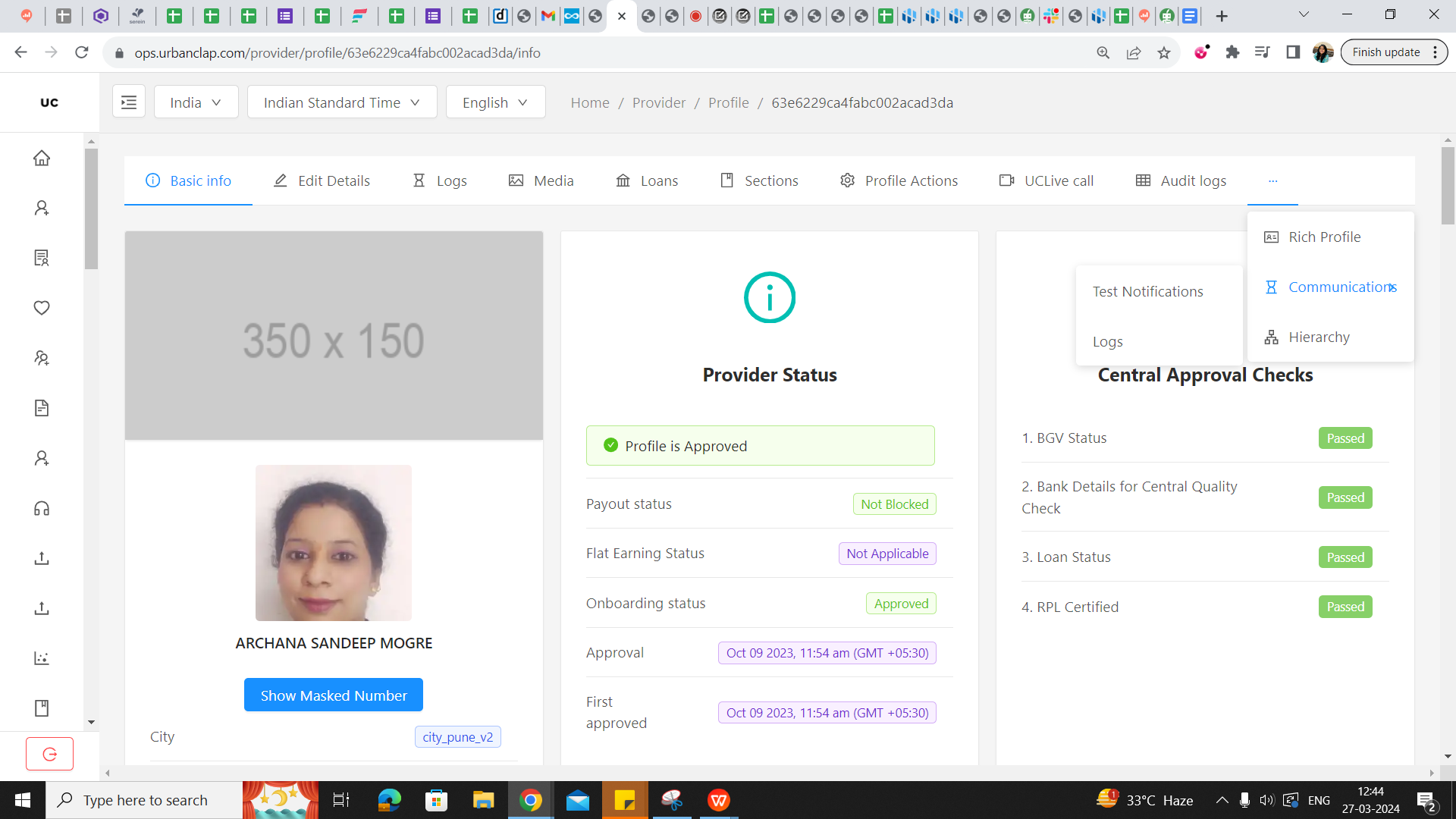
Open Partner Profile < Click on 3 dots < communications < Log
STEP 4:
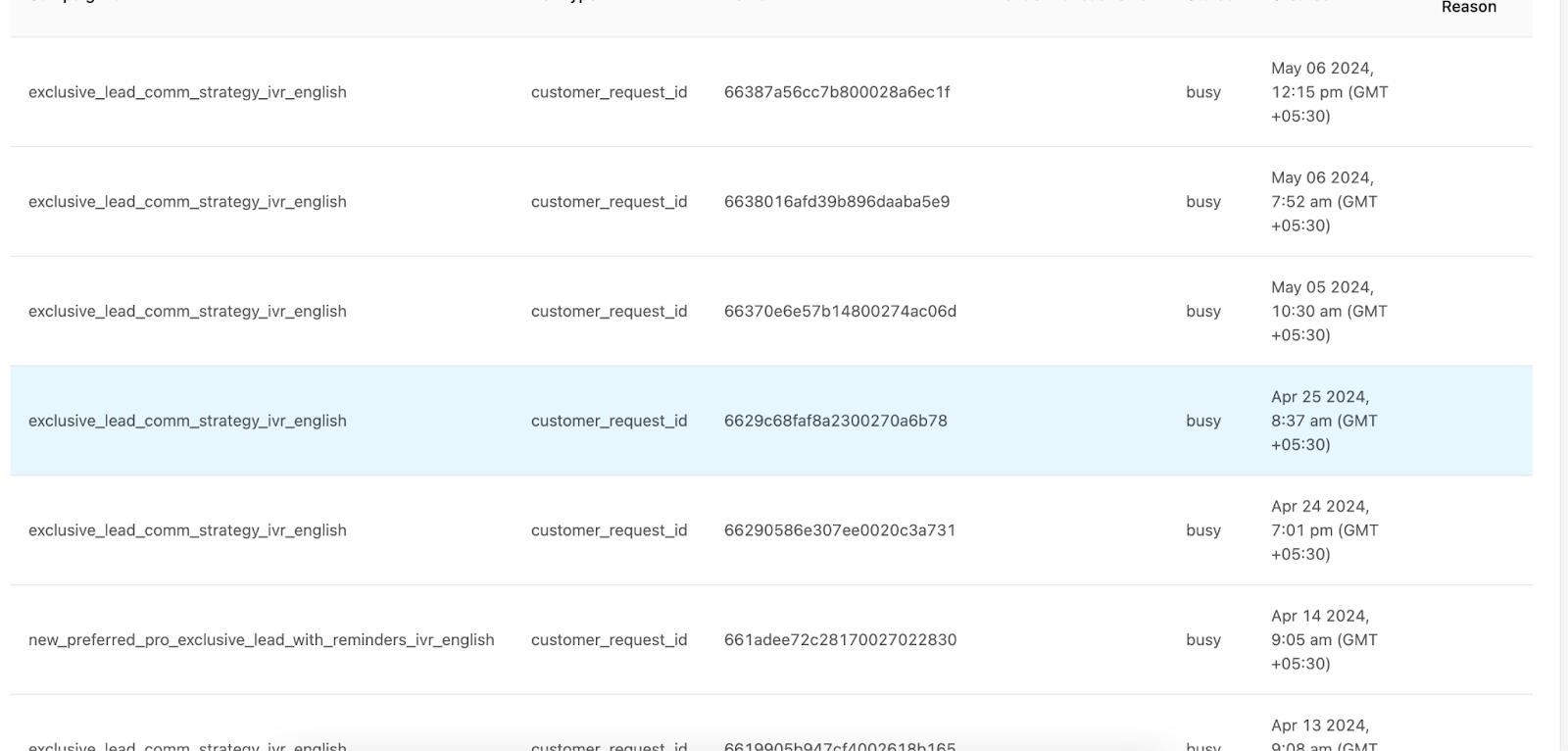
a. If PN (Push Notification) is in “TRIGGERED” state or if lead is fanned out but there is no PN(Push Notification) in logs, check for IVR triggered at that time in comms logs.
b. If IVR(automated call done to partner for informing about lead) is there in logs but status is “busy” it means the pro has either disconnected the call or blocked our IVR number (01141182777). If the status says “no answer” - it means UC has called the pro but the pro has not picked UC's IVR call. In such scenarios, we cannot do anything as we had tried calling the pro. Ask Partner to attend UC's IVR call or unblock the IVR number to start receiving IVR .
STEP 5: If lead is fanned out, PN is in triggered state, no IVR is sent and the pro is missing jobs, then only raise the bug with all the information on the #bugs-provider channel in slack