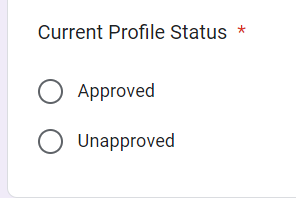
Refund Post Archival
Tagging: 1.4 Money - Refund and Penalty Related>> Refund Post Archival
Approved Profile : 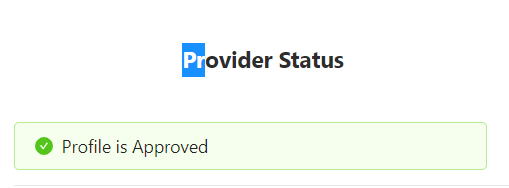
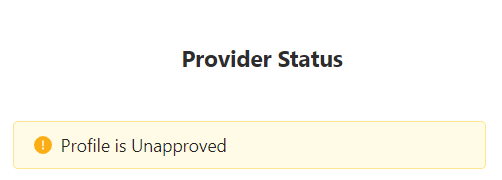
Unapproved Profile :
| State | Process |
| Unapproved | If partners profile is on Unapproved state then in that scenario Partner can apply for refund from their App , in case no option is visible then agent need to fill the "Archival Form". |
Approved | If Partners profile is approved, Agent will follow the below process: |
| 1. Agent will call the partner and confirm the reason why they want to close the ID. | |
| 2.. Other Categories: Agent will raise it on slack to CM wait for 48 hours (Needs to be parked between 1 PM to 5 PM). if raised on weekend (Saturday & Sunday) keep it pending for 3 days, If no revert received fill "Archival " form( To be filled only after getting permission from CM or TL). While raising it to CM on slack, be very attentive that correct Provider ID, City, Category should be filled. | |
| Once Archival has been done, then in 5-7 business days credit amount will be deposited in partner bank account. Please make sure partner's bank details are updated. |
Important Note: If a professional's profile is processed for permanent archival , the pro will receive the refund after 4 days of Archival.
Example : If profile is archived permanently on 7th Aug then pro will receive the refund on 11th Aug.
Note: While filling the Archival form, under "Reason of Archival" we should not select "Profile detected as duplicate" and "Poor Quality of Pro" option.
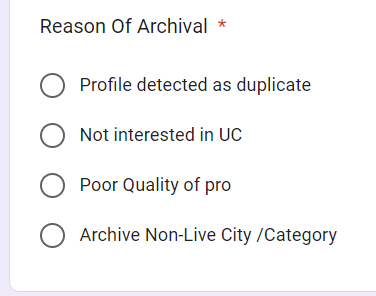
Note: If pro's profile status is "Unapproved" then there is no need to fill the Archival Form.