Training Slot Not available/ How to check Slot in Dashboard and in App
Training Slot Not available/ How to check Slot in Dashboard and in App
1: If partner is unable to book a training slot
If the training slot is not visible, raise it on Slack, tag City CM and select the dropdown "other." Keep a CC Team leader and keep a ticket pending for 24 hours.
Post 24 hours, take a follow-up; if no revert, please tag Danish in the thread.
Note: Please do not close ticket without resolution confirmation from partner.
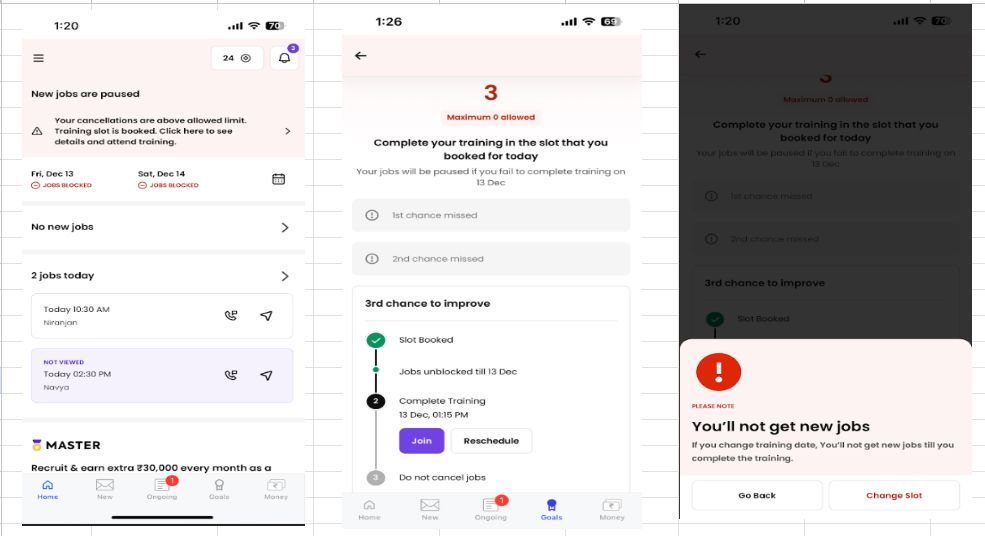
2: How can a partner book a training slot from the app?
In the Home page, reasons for booking will show in the partner profile.
Click on the reason < App will redirect partner to slot page < Slot book option will reflect.
Partner will be shown an available slot in the accordingly they can book the same as per there feasibility.
3: How can we check if partner has booked a slot successfully?
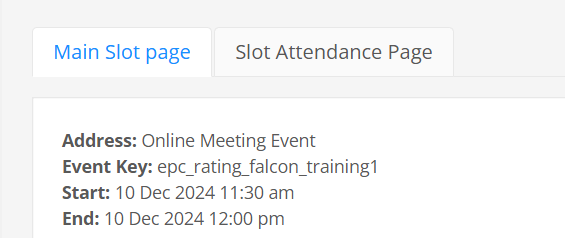
Open Partner profile < Click Rich Profile < Actioning History < Click on the reason of block < Click on the Slot ID link < Bookings it will show Booked At/Booked By
Image 1
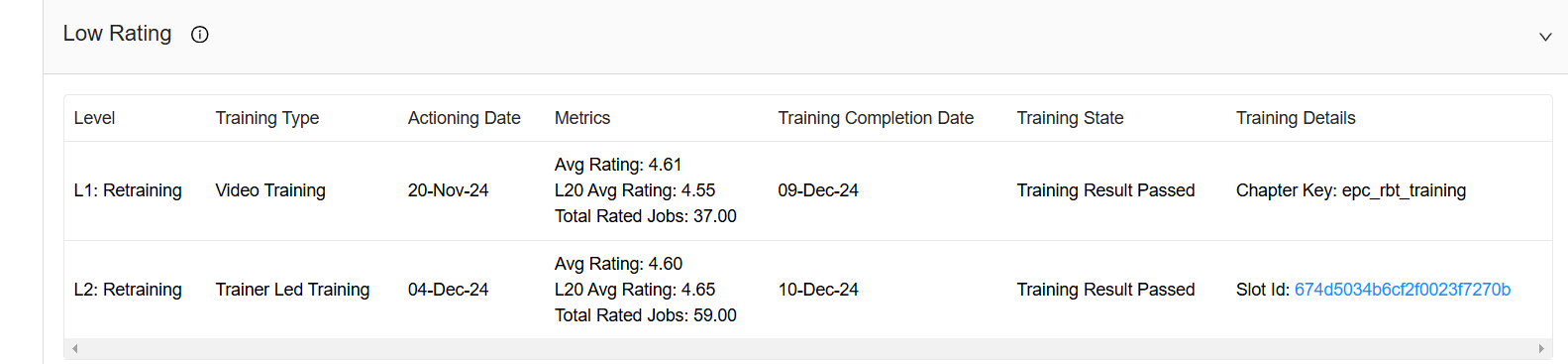
Image 2
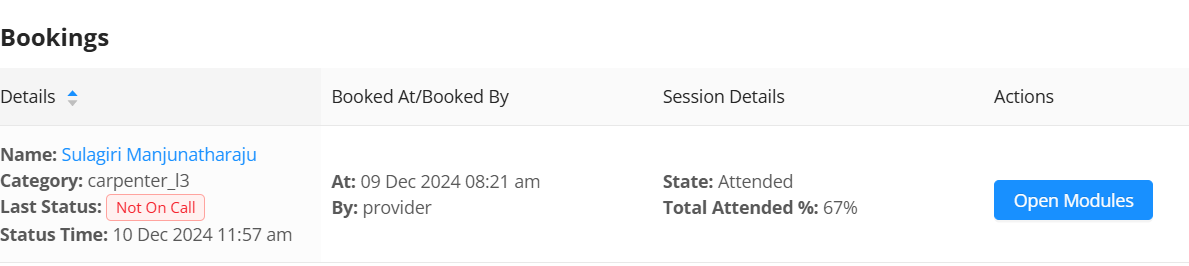
Image 3
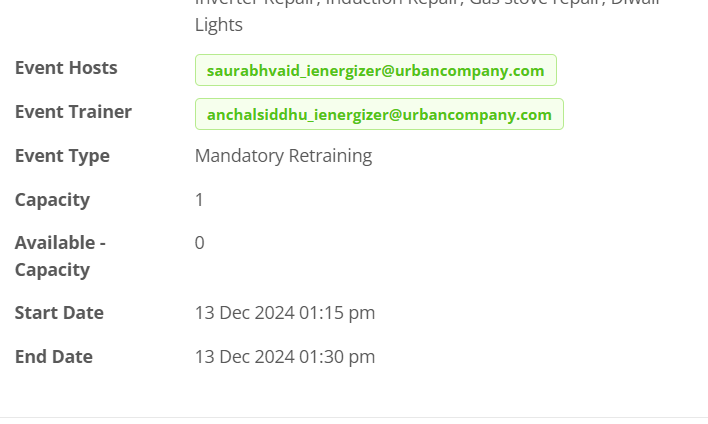
Event Scheduler : https://ops.urbanclap.com/event-scheduler
Enter Partner ID in the < Cilck on Search Slot < scroll down
We can check slot booked for training
Start and end time of training
Trainer Name
Event type
Image 1
 Image 2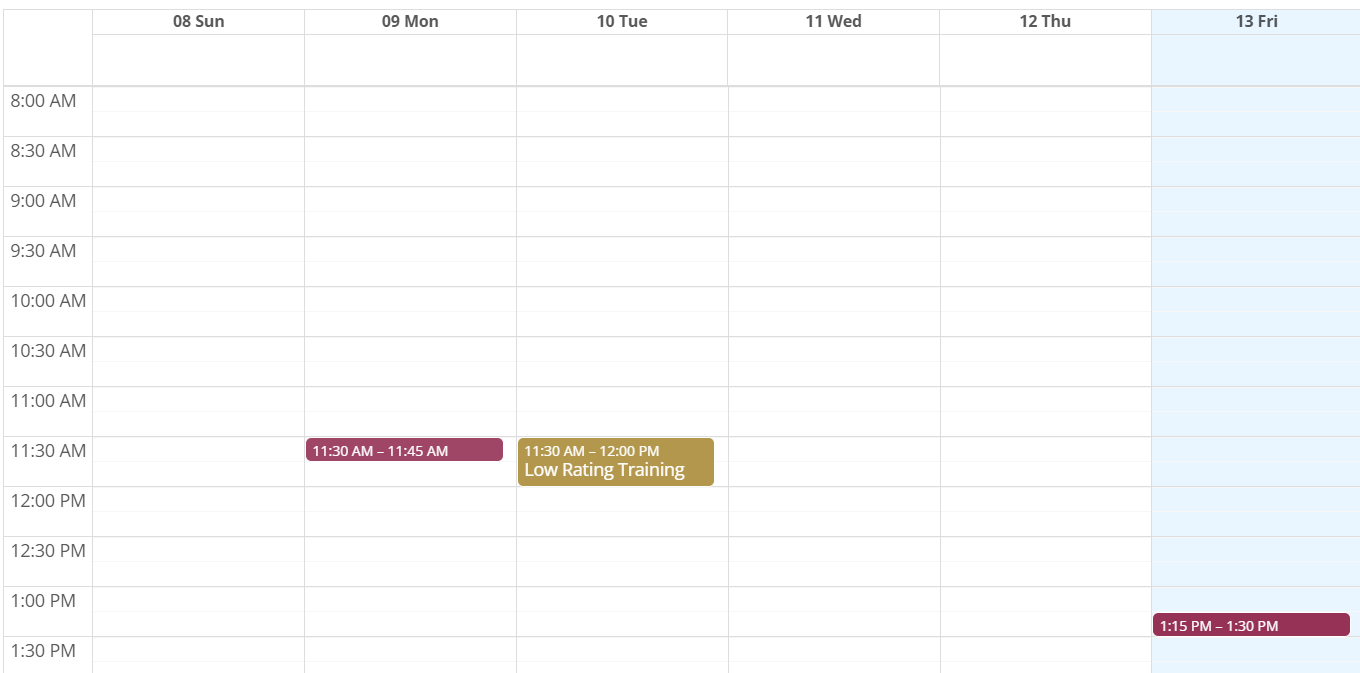
Image 3